








The Steam Deck changed handheld gaming in a big way. Many players now want to know what kind of graphics card gives similar performance to the Steam Deck. This is where the term “Steam Deck equivalent GPU” becomes important.
If you are building a gaming PC, upgrading an old system, or comparing gaming hardware, knowing the GPU power of the Steam Deck can help you make better choices. The Steam Deck is strong for a handheld device, but many desktop and laptop GPUs can match or beat its performance.
In this guide, you will learn what GPU is inside the Steam Deck, which desktop and laptop GPUs are close to it, how it performs in games, and whether it is still good for gaming today.
What GPU Does the Steam Deck Use?
The Steam Deck uses a custom AMD GPU made with RDNA 2 graphics architecture. It is built inside an AMD APU, which combines the CPU and GPU into one chip.
Steam Deck GPU Specs
Here are the main GPU details:
- AMD RDNA 2 architecture
- 8 Compute Units (CUs)
- Up to 1.6 GHz clock speed
- Around 1.6 teraflops of graphics power
- Shared memory with system RAM
This custom GPU is designed for power efficiency instead of raw performance. Since the Steam Deck is portable, it needs to save battery while still running modern games smoothly.
The GPU works very well at the Steam Deck’s native resolution of 1280×800.
Steam Deck Equivalent GPU for Desktop PCs
Many people ask which desktop graphics card performs like the Steam Deck GPU. The answer depends on the game, settings, and resolution, but several GPUs are considered close.
Closest Desktop GPU Equivalents
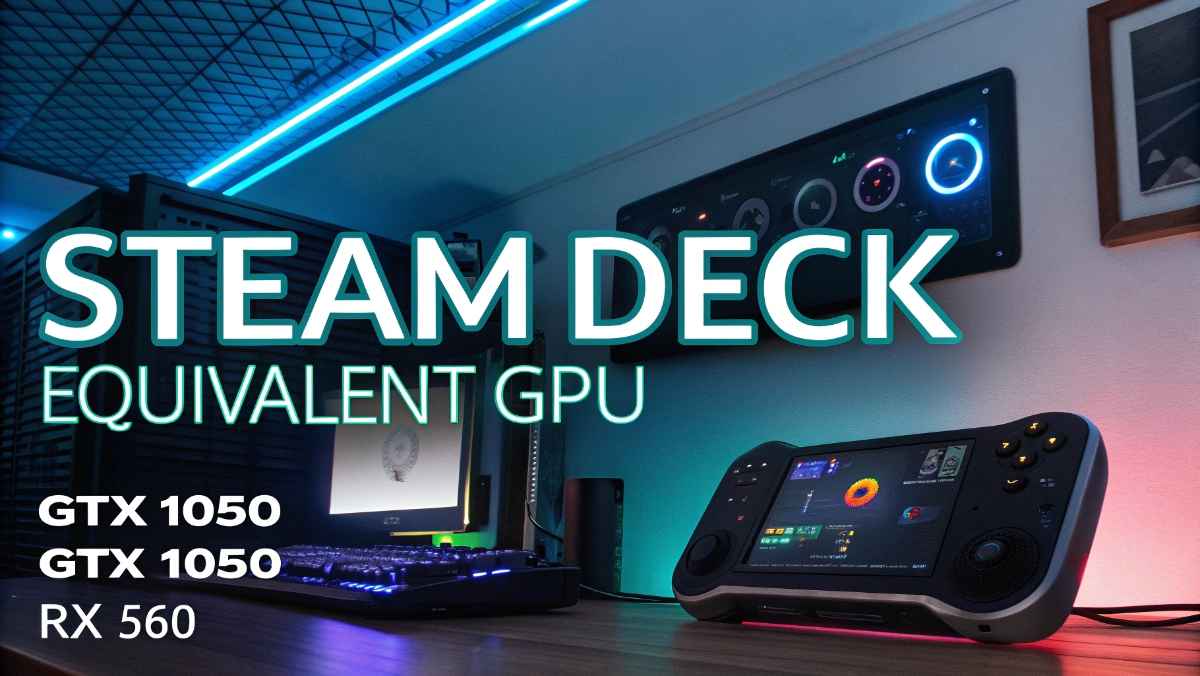
The Steam Deck GPU performs similarly to:
- NVIDIA GTX 1050
- NVIDIA GTX 1050 Ti
- AMD Radeon RX 560
- AMD Radeon Vega 8 integrated graphics
- AMD Radeon RX 460
These GPUs give similar gaming performance in many titles at 720p or 800p resolution.
However, desktop GPUs usually perform better because they have more power available and better cooling systems.
GTX 1050 vs Steam Deck
The GTX 1050 is often compared to the Steam Deck because both offer entry-level gaming performance.
Similarities
- Good for 720p gaming
- Can run esports games smoothly
- Works well in older AAA games
- Similar average FPS in many titles
Differences
The Steam Deck has newer RDNA 2 technology, while the GTX 1050 uses older Pascal architecture. In some modern games, the Steam Deck performs surprisingly well because of software optimization.
The Steam Deck also supports modern AMD features like:
- FidelityFX Super Resolution (FSR)
- Variable Rate Shading
- Better Vulkan support
Because of these features, the Steam Deck can sometimes compete with stronger older GPUs.
GTX 1050 Ti Compared to Steam Deck
The GTX 1050 Ti is slightly faster than the Steam Deck GPU in most games.
Advantages of GTX 1050 Ti
- More VRAM
- Better performance at 1080p
- Higher FPS in demanding games
- Better cooling in desktop systems
Still, the Steam Deck remains impressive because it achieves strong performance in a portable device with lower power usage.
Steam Deck vs Integrated Graphics
Modern integrated graphics are getting stronger every year. Some newer APUs can now match the Steam Deck.
Integrated GPUs Close to Steam Deck
These integrated GPUs come close:
- AMD Radeon 780M
- AMD Radeon 680M
- Apple M-series integrated graphics
- Intel Arc integrated graphics in newer chips
The AMD Radeon 780M especially performs very well and can even beat the Steam Deck in several games.
This shows how far integrated graphics technology has improved.
Gaming Performance of Steam Deck
The Steam Deck is designed mainly for handheld gaming at medium settings.
Typical Gaming Results
Most games run at:
- 30 to 60 FPS
- Medium graphics settings
- 720p or 800p resolution
Popular Games Performance
Elden Ring
- Around 30–40 FPS
- Medium settings
GTA V
- Around 60 FPS
- High settings possible
Cyberpunk 2077
- Around 30 FPS
- Low to medium settings
Fortnite
- Around 60 FPS
- Medium settings
Apex Legends
- Around 60 FPS
- Medium settings
The Steam Deck performs best when games are optimized properly.
Why Steam Deck Performance Feels Better Than Expected
Many people are surprised by how well the Steam Deck runs games even though its GPU is not very powerful compared to desktop GPUs.
There are several reasons for this.
1. Lower Resolution
The Steam Deck screen uses 1280×800 resolution. This is much lower than 1080p or 1440p gaming monitors.
Lower resolution means the GPU has less work to do.
2. Optimized SteamOS
SteamOS is optimized for gaming performance. It reduces unnecessary background tasks and improves efficiency.
3. FSR Upscaling
AMD FSR helps increase FPS by rendering games at lower resolution and then scaling them up.
This gives better performance with only a small loss in image quality.
4. Console-Like Optimization
Game developers now optimize games specifically for the Steam Deck.
This helps many titles run better than expected.
Steam Deck Equivalent Laptop GPU
Laptop GPUs are harder to compare because power limits vary between models.
Still, these laptop GPUs are close to the Steam Deck:
- GTX 1650 Mobile
- MX450
- Radeon 680M integrated graphics
- Intel Arc integrated laptop graphics
Some low-power gaming laptops now outperform the Steam Deck easily.
However, laptops usually cost more and are less portable.
Steam Deck vs PS4 GPU
Another common comparison is between the Steam Deck and the PlayStation 4.
PS4 GPU Specs
The PS4 uses:
- AMD GCN graphics
- Around 1.84 teraflops
On paper, the PS4 is slightly stronger.
However, the Steam Deck uses newer RDNA 2 technology, which is more efficient.
In real gaming tests, the Steam Deck often comes surprisingly close to PS4-level performance.
Steam Deck vs Xbox Series S
The Xbox Series S is much stronger than the Steam Deck.
Xbox Series S Advantages
- More powerful RDNA 2 GPU
- Better ray tracing performance
- Higher resolutions
- Better FPS in AAA games
The Series S targets 1080p and 1440p gaming, while the Steam Deck mainly targets 720p gaming.
Still, for a handheld device, the Steam Deck performs very well.
Is the Steam Deck GPU Good for Modern Games?
Yes, the Steam Deck GPU is still good for modern gaming if you use the right settings.
Best Use Cases
The Steam Deck works great for:
- Indie games
- Older AAA games
- Emulators
- Esports titles
- Casual gaming
- Portable gaming
Games That May Struggle
Very demanding modern games may need:
- Lower settings
- Lower FPS targets
- FSR enabled
Some new AAA games push the hardware hard, but many are still playable.
Can You Upgrade the Steam Deck GPU?
No, the Steam Deck GPU cannot be upgraded.
The GPU is built directly into the AMD APU. It is soldered onto the motherboard.
This means:
- No GPU replacement
- No graphics card upgrades
- No desktop GPU installation
If you want more graphics power, you need a new handheld or gaming PC.
External GPU Support
Some people ask if they can connect an external GPU (eGPU) to the Steam Deck.
Technically, it is possible with special setups, but it is not simple.
Problems with eGPU on Steam Deck
- Limited compatibility
- Extra adapters needed
- Lower portability
- Expensive setup
- Software issues
For most users, using the Steam Deck normally is the better option.
Best Settings for Steam Deck Gaming
To get the best performance, you should optimize game settings.
Recommended Settings
Use Medium Settings
Medium settings often give the best balance between visuals and FPS.
Enable FSR
FSR improves performance in demanding games.
Lock FPS
Setting FPS to 30 or 40 can improve battery life and stability.
Lower Shadows
Shadow quality uses a lot of GPU power.
Use Steam Deck Presets
Many games now include Steam Deck optimized settings.
Steam Deck OLED Performance
The Steam Deck OLED model keeps almost the same GPU performance.
However, it improves:
- Battery life
- Screen quality
- Cooling efficiency
- Fan noise
Games may feel smoother because of the better display and lower latency.
But raw GPU power stays mostly the same.
Is Steam Deck Strong Enough for 1080p Gaming?
The Steam Deck can handle 1080p gaming in some games, but it is not ideal for demanding AAA titles.
Good 1080p Games for Steam Deck
- Hades
- Hollow Knight
- Stardew Valley
- Valorant
- Rocket League
Difficult 1080p Games
- Cyberpunk 2077
- Starfield
- Alan Wake 2
- Hogwarts Legacy
For best results, 800p gaming is recommended.
Steam Deck Equivalent GPU for Emulation
The Steam Deck is excellent for emulation.
It handles:
- PS2 emulation
- GameCube emulation
- Wii emulation
- PSP emulation
- Nintendo Switch emulation in many cases
For emulation, the GPU performs very well because older console games are less demanding.
A GTX 1050-level GPU is usually enough for smooth emulation.
Future of Steam Deck Graphics
Handheld gaming hardware keeps improving fast.
Future handhelds may include:
- RDNA 3 graphics
- Better ray tracing
- AI upscaling
- Higher FPS support
- Better battery efficiency
Still, the current Steam Deck remains popular because of its balance between price, portability, and performance.
Should You Buy a GPU Equivalent to Steam Deck?
It depends on your gaming goals.
Good Reasons
A Steam Deck equivalent GPU is fine if you:
- Play esports games
- Use 720p resolution
- Want budget gaming
- Play older titles
- Enjoy indie games
Not Ideal If
You should get a stronger GPU if you:
- Want 1440p gaming
- Use ultra settings
- Need ray tracing
- Play demanding AAA games
- Want future-proof performance
Best Modern Alternatives to Steam Deck GPU
If you want similar or better performance today, consider these GPUs:
Budget GPUs
- GTX 1650
- RX 6400
- Intel Arc A380
Better Integrated Graphics
- Radeon 780M
- Radeon 890M
- Intel Arc integrated GPUs
These options give stronger performance while staying affordable.
Final Thoughts
The Steam Deck GPU is roughly equal to entry-level desktop graphics cards like the GTX 1050 or RX 560. While it is not a high-end gaming GPU, it delivers impressive results for a handheld device.
Its real strength comes from smart optimization, lower resolution gaming, and efficient RDNA 2 technology. The Steam Deck proves that modern gaming does not always require expensive hardware.
For portable gaming, indie titles, esports games, and older AAA games, the Steam Deck still performs very well. If you want a desktop or laptop GPU with similar performance, the GTX 1050, GTX 1050 Ti, RX 560, and newer integrated Radeon graphics are the closest matches.
The Steam Deck continues to be one of the most important handheld gaming devices because it combines good graphics performance with portability and affordability.